Android download, in brief
Master archive reference: v3.12, July 2026, 38.1 MB. Use the source-labelled record below; the current publisher-link position is shown in the download centre.
Teen Patti Master at a glance
| Game and guide fact | Value |
|---|---|
| Game format | 3 cards per hand |
| Standard deck | 52 cards |
| Standard hand categories | 6 |
| Site audience | Adults aged 18+ |
| Reader platform | Android |
| Download entry | /go/ — Android download centre |
These are game and guide facts, not a claim about an unidentified APK’s compatibility. Release numbers and file size are kept in the source-labelled reference below rather than mixed into a current specification.
Source records, release checks and the /go/ download entry in one place.
Release reference from the third-party archive
| Archive field | Value in the supplied source |
|---|---|
| Version label | v3.12 · July 2026 |
| File size label | 38.1 MB |
| Android label | Android 4.4+ |
| Publisher label | Taurus Technologies |
| Package label | com.taurus.tp.master |
| Third-party source | teenpattiallgames.com · archived Master page |
Source scope: this is a transcription of a archived third-party reference, not a publisher release record. Use it to compare names and claims. Current installation requirements must come from the exact publisher’s release. The archive’s “Clean Signature Verified” statement is excluded because the archive contains neither a matching binary nor a certificate test record.
Choose your next step
| Your situation | Most useful next step |
|---|---|
| First installation | Follow the installation walkthrough |
| “App not installed” message | Find the relevant error branch |
| Returning to an old interface | Check rollback and account risks |
| Comparing Master and Gold | Compare evidence and app identity |
| Learning before installation | Try 8 browser hand examples |
A practical Android installation sequence
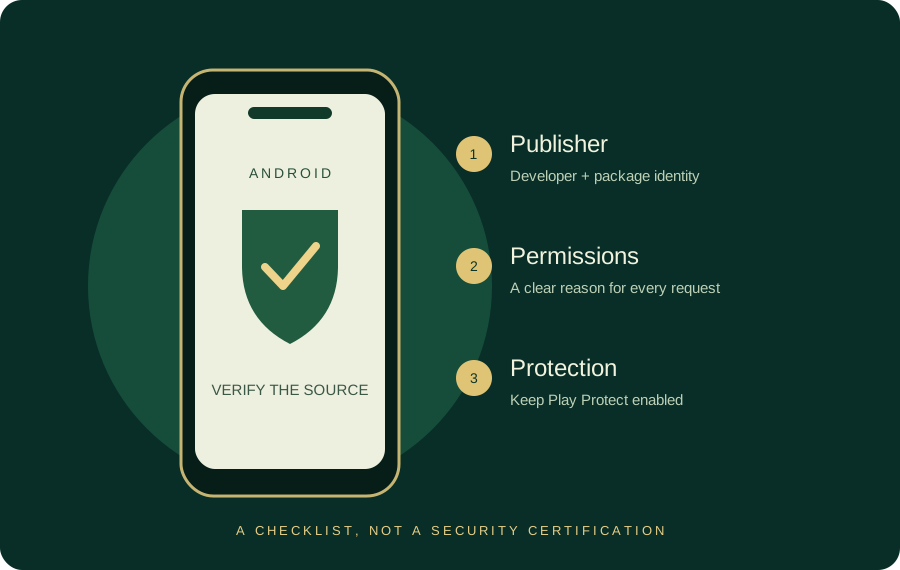
- Record the developer and package from the publisher-controlled source before obtaining a file.
- Match the file with the publisher’s release date, compatibility note and signing identity.
- Check storage in Android Settings. Download size and installed storage are different measurements.
- Keep Play Protect enabled and review the exact installer prompt.
- After installation, open the rules/help section before choosing a mode.
- Keep recovery details for the correct account system, and remove temporary installation permission from the source app.
This guide describes the workflow, not a device test of a particular Master build. The full walkthrough explains why split packages, a stale browser download and a mismatched signature need different actions.
Version, file size and storage are different facts
A release label such as v3.12 describes a claimed build. A 38.1 MB archive entry describes the advertised download size in that source. Neither tells you how much space Android will need after extraction, optimisation and later resource downloads. Avoid treating a fixed “100 MB free” promise as a universal compatibility requirement.
A current publisher record should pair the user-facing version with a version code, supported Android range and signing certificate. If the source supplies only a logo and a year, use the identity checklist before proceeding.
Updates and account continuity
Before updating, compare the package identifier and publisher. Android uses signing identity as part of its update checks; a matching app name alone is insufficient. Guest progress may exist only on the old device or in local data. Establish a supported recovery route before uninstalling.
For “latest”, “new version”, “original APK 2026” and “official” searches, the useful answer is a matched publisher release, not a newly dated headline. The download centre keeps its current file status visible beside the action.
Learn the game while you compare sources
A complete beginner can read the six-category chart in a few minutes, compare a pair against a colour and then check the A23 versus AKQ convention. These tasks also help you recognise when an app’s mode uses a different rule set.
For specific account or transaction problems, use publisher support verification. Third-party guides cannot access an app account, and an OTP or UPI PIN should remain private.
Return to the full Master guide
The Teen Patti Master homepage brings the download entry, installation path and hand references together. For another app with a similar name, start from the app-name directory instead of assuming the same account or publisher.
Questions, answered
Is 38.1 MB the size of the current Master APK?
38.1 MB is the figure in the archived third-party reference’s July 2026 reference. Current size and Android compatibility belong to the exact publisher release.
Where does the download entry lead?
Every Master download entry on this site leads to /go/, which shows the current publisher-link position and the relevant Android guides.
Is TeenPattiMasterStore the Master publisher?
TeenPattiMasterStore is an independent guide. Publisher identity is stated separately from the website brand.
Sources & scope
Reviewed 28 October 2026. Rules and service details may vary. Source records and calculation methods are explained in Sources & methods. See our editorial policy.