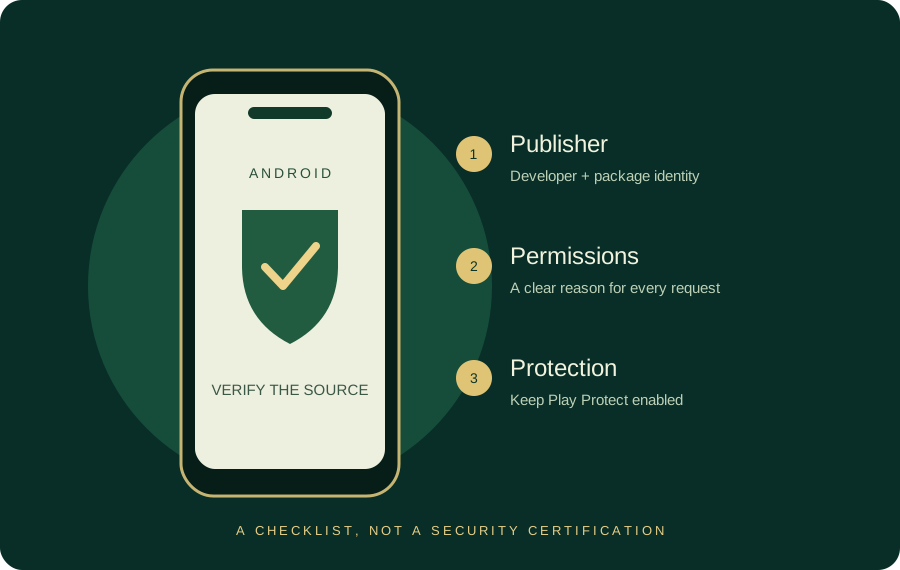
Match the file to the source
Use developer, package and signing identity together. Download size and installed storage measure different things.
Prefer an identifiable source
Start from the developer’s verified website or store listing. Check the full destination address before tapping. A shared filename, shortened URL or repost in a messaging group is not a publisher record. Be especially careful when a page changes domains repeatedly before offering a file.
Searches for teen patti apk download, teen patti download apk, app download and game download all express installation intent. Use the same source checks regardless of word order. For Master-specific uncertainty, read the Master APK guide.
Permissions deserve a reason
| Permission or request | Question to ask |
|---|---|
| Contacts or SMS | Why would a card game need this to teach or play cards? |
| Accessibility control | Does this grant broad control over other apps? |
| Device administration | Could this make uninstalling more difficult? |
| Notification access | Can I decline it without losing basic functionality? |
| UPI PIN or OTP in chat | Why is anyone asking for a secret? Stop sharing it. |
Permission names and settings paths vary by Android release and manufacturer. Review the exact prompt and use Android Settings to revoke unnecessary access.
Keep Play Protect enabled
Google Play Protect checks apps and can warn about potentially harmful behaviour. It is a useful protection layer, not proof that every unflagged app is safe. Do not follow instructions to disable it just to install an unknown APK.
If you temporarily allow installation from a specific browser or file manager for a trusted source, remove that source permission afterward. Menu names differ by device; use your device’s current Android help rather than following a universal screenshot blindly.
If installation fails
- “Not compatible”: compare the publisher’s Android requirements with the device version.
- “Package conflict”: confirm the package name and signing certificate before changing anything.
- “Not enough space”: review device storage without deleting account recovery information.
- “Blocked as harmful”: stop and verify the source; do not force installation.
- “App not installed”: obtain the exact error and ask the verified publisher rather than trying random mirrors.
Modified and unlocked files
A mod APK changes the original package. Claims such as unlimited chips, guaranteed wins or unlocked withdrawals do not establish authenticity. Altered software may also break updates or expose account data. Namaste Teen Patti mod APK and similar searches are addressed as a safety issue here, not as an offer of a modified file.
Installation packages are not all the same
A file ending in .apk is one Android package format. Some distribution systems use split APKs or containers that include several device-specific components. Renaming a container to .apk does not convert it into a valid standalone installer. Ask for the publisher’s supported installation route.
A website’s download-size label also differs from the space required after installation. Compare current device storage with the actual publisher requirement instead of relying on a universal spare-space number. See the full Android walkthrough.
Use the installer message to narrow the problem
A package conflict, a compatibility message and a storage message require different checks. The troubleshooting selector opens the relevant steps directly. It keeps account-preservation and device protections in the process.
Android download and installation — guide index
Use the Master reference for the app question, the walkthrough for installation and the symptom guide for an error. Keep an existing account recoverable before changing builds.
- Master APK and source detailsRead the dated reference and current Android entry.
- Installation walkthroughFollow source, device, installer and first-launch checks.
- Fix an installer messageChoose one of six installation or launch symptoms.
- Old version and rollbackCompare package identity, account recovery and build support.
- Android download centreCheck the current publisher-link position and choose your next step.
Sources & scope
Reviewed 28 October 2026. Rules and service details may vary. Source records and calculation methods are explained in Sources & methods. See our editorial policy.